

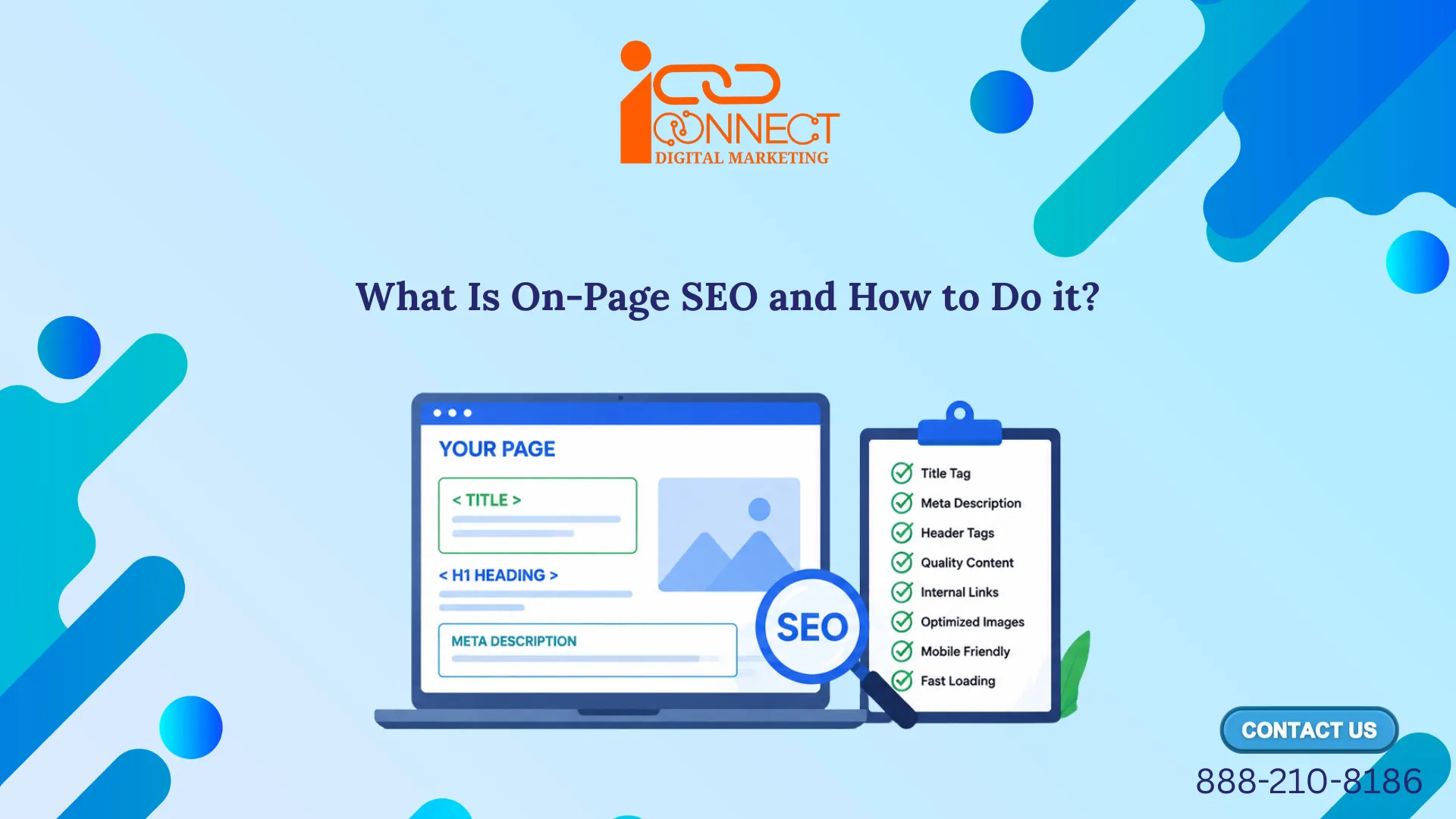
On-page SEO (also called on-site SEO) means making changes to your web page’s content and HTML source code so that search engines can understand them better and users can find useful information easily. In addition, It includes all those actions that we do on elements such as content structure, title tags, headings, URLs, images, internal links, meta descriptions, and other things to earn more relevant traffic on search engine results pages (SERPS).
Off-page SEO consists of things like linking to other websites and getting links from other websites. While Good on-page SEO is all about the aspects of SEO which you have complete control over on your site. On-page SEO does not involve just placing keywords on your website.
You may also be interested in: 👉SEO Titles and Meta Descriptions: What They Are and How to Write Them
Why Is On-Page SEO Important?
On-page SEO is important since it allows search engines to understand your website and makes it easier for users to access relevant information. When a page is well optimized, it has higher chances of being seen by people who will turn out to be your customers.
An optimized page will bring in the desired audience and help them take relevant actions like completing a form, purchasing a product, registering themselves, or communicating with the company. All one needs to do then is to make sure that the page is helpful for the reader and easily understandable by the search engines.
Step 1: Understand Search Intent First
Before creating or optimizing a webpage, it is important to understand what the user is actually looking for. This is called search intent. Search intent is the reason behind a person’s search query. Google’s goal is to provide the most helpful answer for every search. Search intent means understanding what a person wants to find when they search on Google or another search engines.
For Example: if someone is searching for “what is on-page SEO” that person is looking for information from search engines like google. On the other hand, if someone is searching for “best SEO course near me” that person may be looking for a course to join. Both of the examples look similar, but the expected results will be different.
Step 2: Choose Your Primary Topic and Keyword
After understanding what search intent is all about, the next step is to choose a clear primary topic and keyword for your webpage. Your primary topic is the main subject you want to cover, while your primary keyword is the main search term you want the page to rank for.
So before you start writing anything, decide what the page is actually going to be about. Then figure out how people search for that topic on Google. Whatever word or a phrase they type into google search box — that is known as Keyword.
For instance, let’s consider “running shoes”. Although one person would be looking for “best running shoes” while the other one would search for “beginner running shoes,” both these searches seem to be identical. However, that’s not how things are, because when a person is looking for beginner running shoes, it means that he/she is probably still trying to understand what options are available. But when one is looking for the best running shoes, he/she already knows what he/she is doing.
This is precisely the reason why each page should have only one main focus. Try to answer too many questions on a single page, and readers just end up confused about what the page is even for.
Google’s gotten better at this too — it doesn’t just match exact keywords anymore. It also tries to understand the bigger topic your content is covering, something known as topical relevance.
So instead of asking within yourself, “How many times should I use this keyword?” consider asking, “Have I covered this topic well enough to answer what the reader actually wants to know?”
Step 3: Write a Clear SEO Title
Once you have chosen your primary keyword, the next step is to create a clear and attractive SEO title. The SEO title tells both search engines and users what your webpage is about. SEO title is also commonly called Title Tag, Meta Title, HTML Title, SERP title.
The title of your webpage is normally the very first thing to catch the eye of anyone. From a web search robot (crawler) that reads your website to a user searching for the right content on the Internet. Your title should, therefore, tell something meaningful about the content of your webpage.
An example of a bad title — “Shoes”
An example of a good title — “Best Running Shoes for Beginners in 2026”
See the difference? The second title here tells you exactly what you’re getting before you even click. It’s specific, easy to understand, and the keyword fits in naturally without feeling forced.
You may also be interested in: 👉 What is Search Engine Optimization and How It Works?
Step 4: Use a Clear H1 and Heading Structure for better On-Page SEO
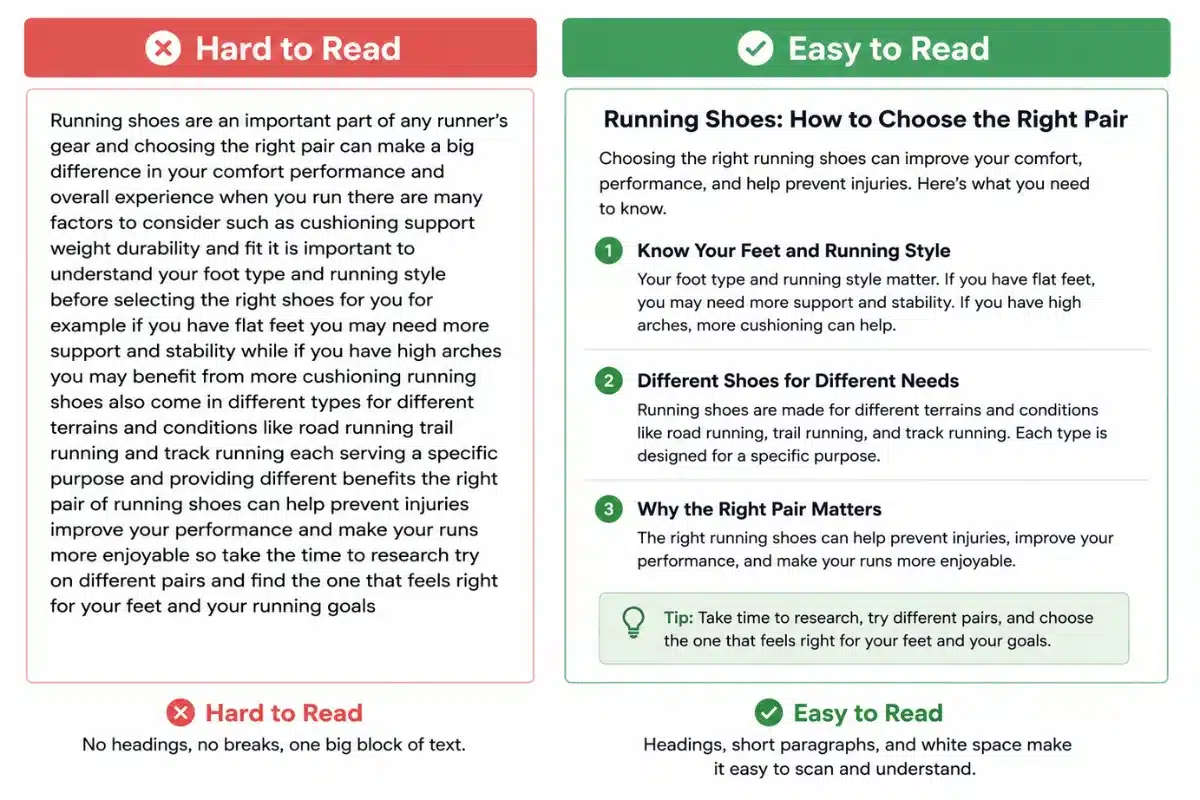
Using headings help you organize your content into clear sections, such as those that have been used in this article enables you to divide your content into clear sections. Headings enable the reader to go through your content easily rather than having to search through paragraphs. In addition, it helps Google comprehend how your content is organized.
An SEO title and a H1 Tag both serve different purposes. Although they can sometimes be the same or similar. A SEO title is usually reflected within the <title> attribute within your page code and can show as a heading within a search results title link and a H1 tag is basically the main displayed header a user views when visiting the page.
You can compare the use of headings to that of chapter headings within a book. They guide readers through the content and make the whole page much easier to follow.
Step 5: Write Naturally, Not Robotically
When creating content for any topic, everyone should focus on people first and search engines second. Search engines are designed to understand the quality and relevance of content. One common misconception is the frequent use of the “keyword” on the web page by beginners, since they think that the page is going to rank higher in search results. On the contrary, the results of such efforts are often disastrous — the page will appear to be forced and won’t be enjoyable.
In order to write an effective page, write it as you would be explaining something interesting to someone who needs to know. Use the keyword as many times as you see fit but focus more on answering all the questions.
Google is much more advanced now in terms of comprehending the page’s content than ever before. It seeks content that is useful and original to the reader. If you create such content, then you are doing everything right. Write for real people first. Use keywords naturally while keeping your content clear, helpful, and easy to read.
Step 6: Optimize Images and Alt Text (Label Them Properly)
Pictures are used to break down your content, give readers some rest from reading through lengthy paragraphs, and basically make everything on the page more appealing.
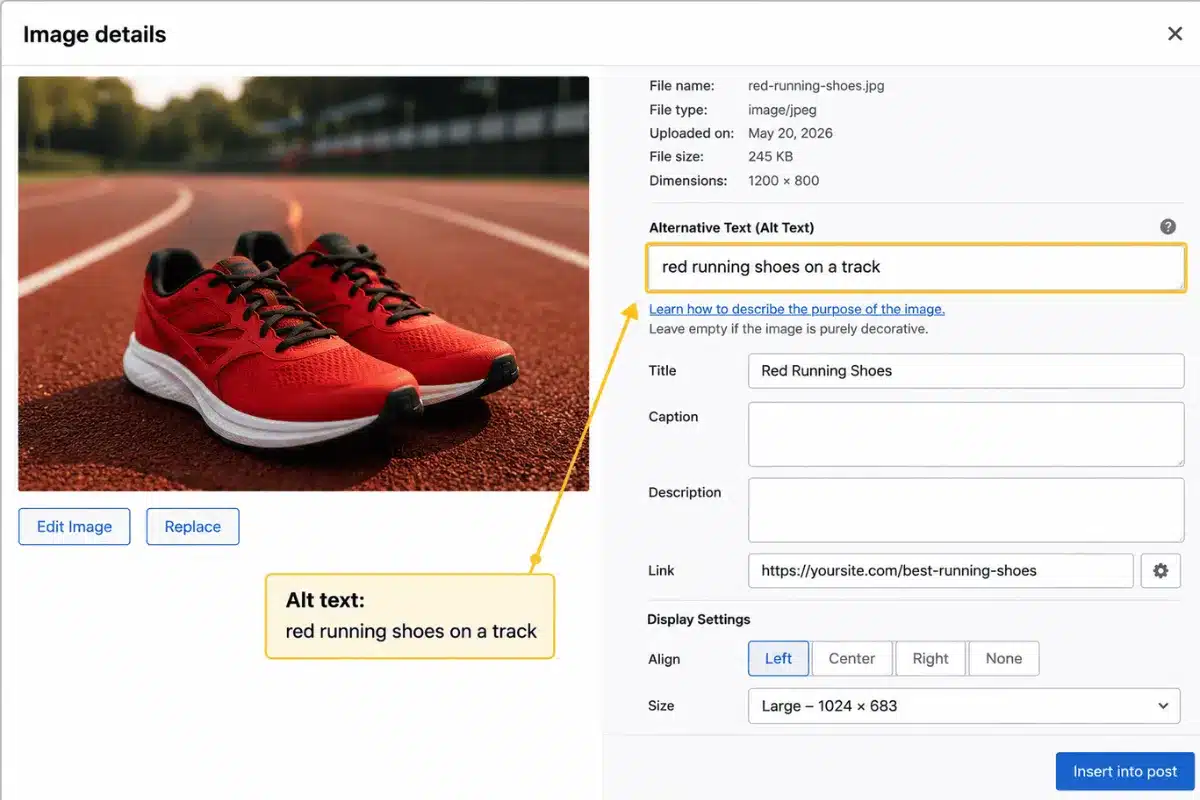
Lastly, there is one technical detail that is often neglected. Each and every image must include alternative text, or the description of the image’s content.
The alternative text serves a dual purpose — first, it allows Google to interpret the image, and second, it helps visually challenged users to access your website using screen readers.
You should also consider image dimensions, compression, format, and file size so unnecessarily large images don’t slow down the page. Not every image needs descriptive alt text. Meaningful images should generally have alt text that communicates their content or purpose.
Step 7: Use a Clean, Simple URL
A URL (Uniform Resource Locator) is the web address of a webpage. A clean URL makes it easier for both users and search engines to understand what the page is about.
- A messy URL: yoursite.com/page?id=8291&cat=23
- A clean URL: yoursite.com/best-running-shoes
Here, the second URL is brief, easy to read, and gives an accurate description of the content on the web page even before it is opened.
Step 8: Add Links to Related Pages in Your Own Website
If there are any other pages on your website related to the information you are offering, link them within your content. The internal link will help the readers navigate other relevant pages on your website instead of leaving after reading one page, and at the same time it will inform Google about your webpages’ connections.
“For example, an informational page about SEO can naturally link to a relevant page about SEO training, Digital Marketing Course, or another closely related topic when that page provides additional value to the reader.”
Step 9: Write a Useful Meta Description
A meta description is a short gray HTML text summary written in description between 120 and 160 characters long that appears beneath the SEO title in search engine results. It helps users decide to click and gives a preview of the page’s content and encourages them to click. Meta descriptions provide a brief summary of your page. It’s one of the most important meta fields and is not a direct Google ranking factor. Although Google sometimes rewrites descriptions, writing your own gives Google useful information about your page.
For Example: Let’s suppose your primary keyword is “on-page SEO.”
❌ Poor meta description: On-page SEO, SEO on-page, on-page SEO techniques, SEO optimization, SEO tips.
This looks unnatural and doesn’t tell the user what they will learn.
✅ Better meta description: Learn what on-page SEO is, why it matters, and how to optimize your content, headings, URLs, images, and other page elements.
This clearly explains what the page offers and gives the reader a reason to click.
Frequently Asked Questions About What is On-Page SEO
On-Page SEO refers to the optimization of a single webpage that allows the search engines to understand what the content is about, while making the content useful for the user to find any kind of information. This can be done through content optimization, keyword optimization, title tags, header tags, URL, images, internal linking, and meta descriptions.
For performing on-page SEO, the key is to first understand the search intent of the user and then select an appropriate primary keyword for the content. Next comes the creation of valuable content, optimization of the title and headings, creation of an optimized URL, use of internal links, image optimization, and the creation of an informative meta description.
On-page SEO is all about optimizing things that you have within your website, including content, headings, keywords, URLs, images, and links within the website. Off-page SEO, on the other hand, involves everything happening outside the website, doing link building externally to build your website’s authority.
There is not an exact word count which will ensure SEO optimization. The perfect word count will depend on the topic and the user’s search intent. Rather than worrying about hitting a particular word count, produce content that sufficiently answers all the questions of the user.
A single on-page SEO element cannot ensure a website’s ranking. The best strategy is to know user intent and create useful, relevant, and structured content to satisfy the users’ needs. Some other elements that play an important role in on-page SEO are page titles, headings, relevant keywords, URL, images, etc.
Final Words on What is On-Page SEO
Good on-page SEO has never been about trying to beat Google at its game. Rather, it is all about producing quality content that is easy to understand, helpful, and well structured for the reader. If you produce something that helps the reader, chances are the search engines will notice it.
At iConnect Digital Marketing, these practical aspects are incorporated into digital marketing learning so that SEO concepts can be understood in the context of actual websites, campaigns, and broader marketing activities. If you are looking to develop these skills in a structured way, you can explore our Digital Marketing Course in Ghaziabad and review the Digital Marketing Course Modules to understand the areas covered.

Mohit Vij is the Founder & Digital Marketing Trainer at iConnect Digital Marketing Training Hub & Agency (iConnectDM), based in Ghaziabad. With over 9+ years of experience in SEO, Google Ads, Meta Ads, Social Media Marketing, Search Intent, Content Marketing, and Lead Generation.
Over the past years, He has trained hundreds of students, job seekers, working professionals in building successful careers in digital marketing while helping businesses improve their search rankings, website traffic, brand visibility, and lead generation. His insights are based on hands-on industry experience, continuous learning, and proven digital marketing strategies that deliver measurable results.