



Many beginners start offering digital marketing services on freelancing platforms like Fiverr, Upwork, Contra and publish a generic service listing or gig and wait for clients to come and take their services. Usually nothing happens like this, if someone creates a Gig alone and thinks they are going to start receiving orders now.
So, in order to be successful to find digital marketing clients, you need to understand properly what buyers are searching for. You need to choose a specific service. Also after creating a professional Gig, you also need to communicate clearly with potential clients. Fiverr works as a freelance services marketplace where clients come and search for professional people with their best services and compare freelancers too. This means your Gig should be relevant to the buyer’s requirements, not simply filled with keywords.
You may also be interested in: 👉Freelancing Platforms to Find Digital Marketing Clients
In this beginner’s guide, I will share with you some important insights on how to create your Fiverr account. How to choose digital marketing services and optimize your Gig. What will attract potential clients and how can you turn your inquiries into paid projects.
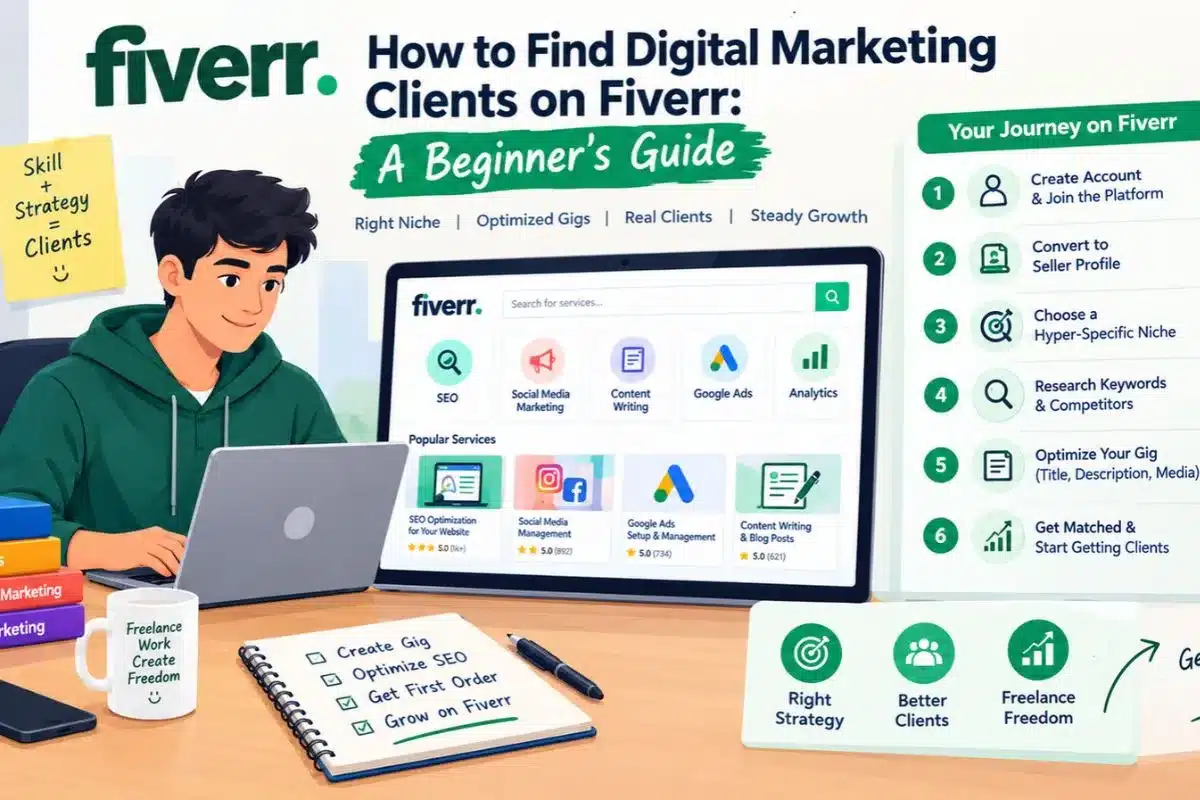
1. Create Your Fiverr Account
First, you have to create your profile on Fiverr before getting started using any of the seller’s features. You should follow these steps:
- Proceed to the primary homepage or Visit Fiverr.com and click on the “Join” link located at the upper right part of the website.
- After joining, register using an available option, such as your email, Google, or Apple account.
- Afterwards, pick for yourself a professional user name (e.g., MarketerSam or SEO_Alex) since it will not be possible to change it afterwards.
- Complete your account registration and verify your email address
Practical Tip: While creating a profile, your username should be professional and easy to remember. Fiverr does not allow you to change your username after account creation. You can only update your display name afterwards.
2. Set Up Your Fiverr Account to a Seller Profile
After creating your account, the next step is to complete your seller profile. Consequently, you must manually trigger the platform’s professional onboarding sequence to discover client acquisition tools.
- Launch onboarding: Click your Profile Picture in the top right corner and select Become a Seller. This step opens your seller dashboard and client acquisition tools.
- Add Professional Information: Next, select Digital Marketing as your main occupation and tick your top five specific sub-skills.
- Choose relevant skills: After updating the personal information, highlight the digital marketing services confidently such as SEO, Google Ads, social media marketing, or content creation.
- Add certifications: To gain the trust in the mind of the client you should include relevant certifications or qualifications if you genuinely hold them.
- Complete Verification: Meanwhile, input your marketing credentials in the certifications block and complete the mandatory phone verification instructions by fiverr to unlock your seller dashboard.
Copy
3. Choose a a Hyper-Specific Digital Marketing Niche
Instead of targeting broad terms like “social media manager” which face high competition, beginners must specialize in specific micro-services to attract clients quickly. Below-mentioned in the table format are some examples of focused services that you can offer to the client.
| Saturated General Category | High-Converting Micro-Niche |
| Social Media Marketing | Instagram Reels scripting and editing |
| SEO Services | Local business schema markup generation |
| Content Creation | AI-generated marketing copy humanization |
| Google Ads | Google Ads Account Audit |
4. Conduct Competitors research and Find Relevant Keywords
Before creating your Gig, you should spend some time on researching other freelancers who are available on this platform and offering similar services like you. Fiverr is completely dependent upon algorithms for its search metrics. It has a search feature from which you can understand how competing sellers position their services. One needs to change their profile into that of the buyer to understand market demands and check the top ranking sellers.
- Analyze active queues: Firstly, save the gigs having 5 to 10 active orders as that will show buyer demand.
- Pull out primary keywords: Secondly, check the bottom of the competing websites for their backend keywords.
- Project requirements review: Lastly, examine the FAQ sections of the successful sellers to know what the buyers need.
You may also be interested in: 👉How to Find and Get SEO Clients
5. Create an SEO-Friendly Fiverr Gig Titles
Your Fiverr Gig Title should be simple and catchy because it is the first thing that clients notice. A good title always explains what you offer and use keywords naturally rather than being smartly worded. Thus, avoid using complex words and stick to the exact terms used by small business owners while searching.
- Bad title: “I will creatively skyrocket your social media presence dynamically.”
- Good title: “I will create and schedule TikTok ads for your e-commerce shop.”
You may also be interested in: 👉 SEO Titles and Meta Descriptions
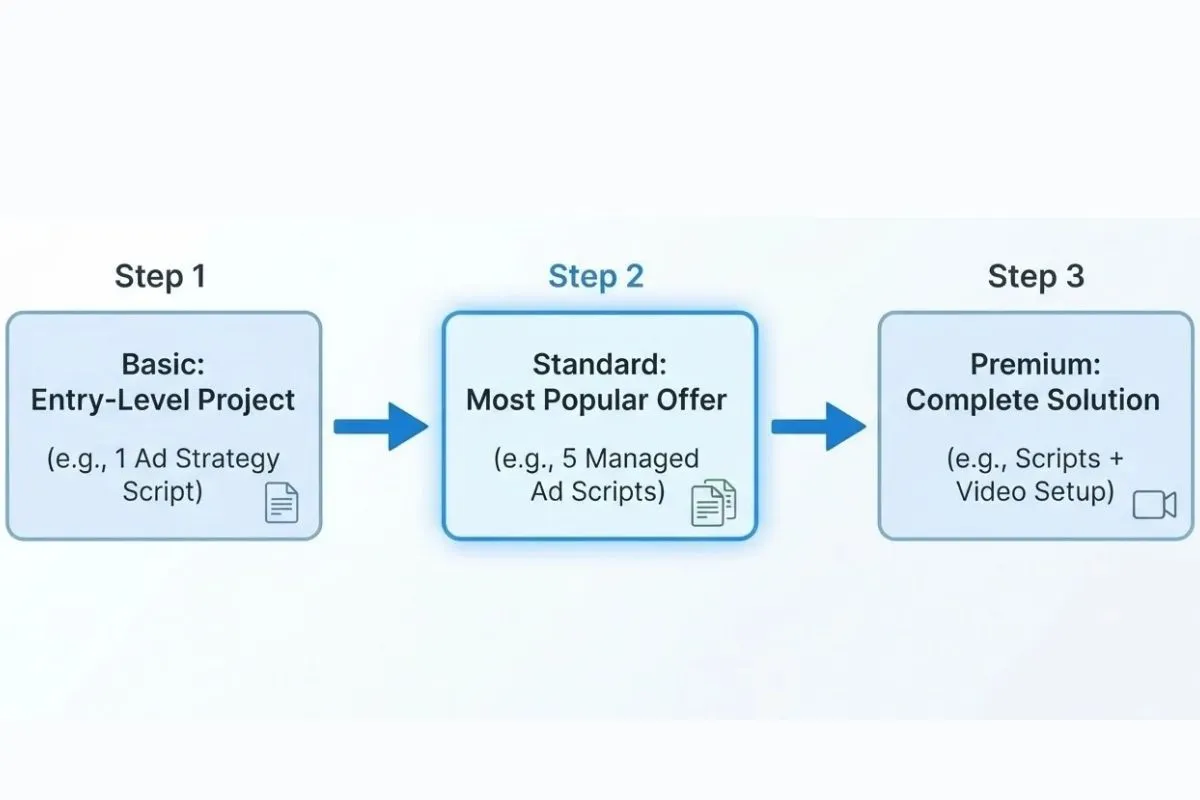
6. Create Clear Fiverr Pricing Tier Packages
On Fiverr, it is possible for a seller to create three types of pricing tiers. So, name your tiers Basic, Standard, and Premium. Make each tier offer more value so buyers naturally upgrade to a higher, higher-priced package.
Especially, make sure that the difference between standard and premium levels is small. Therefore, this strategy pushes customers to go for the highest level, and thus, increases your average sale value.
7. Write a Problem-Solving Gig Description
Your Gig description acts as an automated sales representative. Therefore, structure the text using clear sections and bold typography. It should explain what all problems you solve, what your service includes, and what the client can expect.
| Description Section | Mandatory Structural Elements |
| Problem | State the client’s current digital problem immediately. |
| Solution | Detail your specialized marketing process in bulleted points. |
| Authority | Mention your certified marketing background and software tools. |
| Action | Tell the client to send a direct message before purchasing. |
For example, if you offer local SEO services, you could write:
“Need help improving the local SEO setup of your business website? I can review your existing on-page SEO elements and implement relevant local business schema markup where appropriate.”
You may also be interested in: 👉What Is On-Page SEO and How to Do It?
8. Upload High-Converting Gig Images and Portfolio Samples
Next, you need to publish your gig assets to go live. This plays an important role when potential clients want to understand your service before they read the complete description.
- First, design a clear, bright Gig Thumbnail Image (1280 x 769 pixels) using free tools like Canva.
- Next, upload up to two PDF Portfolios displaying your past marketing case studies or mock campaigns.
- Finally, click Publish Gig to make your digital marketing services live to the public.
9. Activate the “Get Matched” Brief Engine
Apart from search ranking, the site also has a built-in matching system known as Fiverr Briefs that sends client leads directly to your dashboard. Therefore, it is important to set up this particular feature.
- To begin, visit the main page of your Seller Dashboard through the link on the top of the page.
- Subsequently, scroll down to look for the section known as Get Matched with Buyers.
- Then, switch the status toggle to Active to enable the algorithm to find matching marketing briefs.
- Finally, set your Minimum Budget threshold to protect your response rate from low-paying spam.
10. Convert Inbox (Buyer) Queries into Paying Clients
In case a possible client sees your profile, they would normally send an introductory message before placing an order. Thus, your strategy of messaging should be fast and decisive to finalize the deal.
- Respond instantly: Open the message from the buyer right away. Ideally, respond within five minutes with a very personalized greeting.
- Diagnose the problem: Then, pose a direct question aimed at diagnosing their marketing problems like the audience or conversion rate of their website.
- Offer a custom solution: After the buyer accepts your conditions, click the “Create an Offer” at the bottom of the chat box. Then enter your price, select the delivery date and click on Submit Offer.
11. Deliver Quality Work and Collect Earnings
When your quote is accepted by your customer, the order process becomes official.
- First, you need to complete your work on digital marketing in accordance with milestones set up.
- After that, click on “Deliver Now” under the order dashboard page.
- Further, you should upload your marketing reports/deliverable files and click on “Submit.”
- Last but not least, you will get paid once your client accepts your order.
12. Monitor Your Fiverr Performance Platform Analytics And Improve Your Gigs
Ultimately, the platform uses specific performance tracking metrics to rank your services in search results. For that reason, you must review your backend metrics daily.
| Critical Performance Metric | Algorithmic Target Goal | Direct Impact on Client Acquisition |
| Response Rate | 90% to 100% | High rates pin your profile to the top of search filters. |
| Order Completion Rate | 95% or higher | Prevents your profile from getting shadowbanned by the system. |
| On-Time Delivery | 100% | Builds instant trust with the platform’s internal rating systems. |
Final Thoughts
So, finally when we are finding digital marketing clients on Fiverr, it requires creating an account and publishing a service listing. After this, you need to choose a service you understand and you should clearly understand the requirements of potential clients. Create your professional Gig and communicate professionally.
Well, If you are just starting out on this platform you should keep patience. Also, you should first focus only on one or two services that you can deliver confidently. Avoid offering every digital marketing service. Second, research for relevant keywords related to that business and create honest portfolio samples. Clearly explain your deliverables and set realistic expectations without making any false commitments.
At iConnectDM, we provide practical training on live projects to understand the concepts of learning digital marketing on client projects. Whether you are a student, working professional, or a Job seeker, you can explore our training programs to develop the skills needed to approach potential clients with greater confidence.

Mohit Vij is the Founder & Digital Marketing Trainer at iConnect Digital Marketing Training Hub & Agency (iConnectDM), based in Ghaziabad. With over 9+ years of experience in SEO, Google Ads, Meta Ads, Social Media Marketing, Google Business Profile Management, Search Intent, Content Marketing, and Lead Generation.
Over the past years, He has trained hundreds of Students, Graduates, Job seekers, Working Professionals in building successful careers in digital marketing and also helping businesses improve their search rankings, website traffic, brand visibility, and lead generation through various platforms. His insights are based on hands-on industry experience, continuous learning, and proven digital marketing strategies that deliver measurable results.